
Best Mechanical Keyboards in 2026: 15 Picks Compared on Specs
The EPOMAKER x Aula F75 is our top overall pick among the mechanical keyboards in the current catalog: a 75% wireless board with hot-swap switches and a gasket mount named in the listing. It balances the compact size of 60% boards with the usability of a function row, and its wireless option covers most desks. The 15 picks below were chosen from a pool of 60 mechanical keyboards, sorted by stated specs for layout, connection, hot-swap support, and switch names. Prices are live from each listing and nobody here has tested the keyboards.
14 picks from 502 keyboards that match this guide with a price we can quote today. Each price below is read live and stamped with the time it was read.
The short list
Who each pick suits
- For gaming on a wired setup: If you want a direct wired connection with anti-ghosting and hot-swap switches, this Redragon is a straightforward pick. It avoids wireless pairing questions and keeps the setup simple. See pick 10
- For a wireless desk without a number pad: This 75% wireless board is hot-swappable and lists a gasket mount, so it covers most daily typing and gaming needs without taking over the desk. See pick 1
- For full-size number-pad work: A full-size wired board with a named brown switch is a sensible choice if data entry or spreadsheet work means you cannot give up the number pad. See pick 4
- For keyboard builders: Start with the GMMK barebone kit and add your own switches and keycaps. It is the clearest build-your-own option in this guide. See pick 14
The 14 picks, one by one
1 Best overall

EPOMAKER x Aula F75 Gasket Mechanical Keyboard
- Size
- 75%
- Connection
- Wireless
- Switches
- Mechanical
- Hot-swappable
- Yes
$65.99 (as of 10/26/2026 23:52 PDT - Details)
This 75% wireless board combines the three features most buyers ask for: a compact layout, hot-swap switch sockets, and a gasket structure described as five-layer. That makes it a more rounded choice than the wired-only Redragon or the barebone Glorious GMMK below.
Pros
- 75% layout keeps arrow keys and function row while saving desk space
- Wireless connection is supported
- Hot-swappable switches are listed
- Gasket mount is named in the listing
Cons
- Switch type is not stated in the listing
- Battery capacity is not stated by the seller
Good fit if
- Anyone who wants one board for work and play
- Buyers who want to change switches later without soldering
Skip if
- You need a built-in number pad
- You want to know the exact switch model before buying
Verdict: The F75 is the most complete package of the 75% wireless boards in this guide.
2 Best 75% wireless with PBT keycaps

ASUS ROG Azoth Extreme Wireless Mechanical Gaming Keyboard
- Size
- 75%
- Connection
- Wireless
- Switches
- Mechanical
$399.99 (as of 10/26/2026 22:57 PDT - Details)
At 75% with wireless support and ROG NX Snow linear switches, this is the most specified compact wireless board in the list. It also includes PBT keycaps named in the listing.
Pros
- 75% layout with wireless support
- ROG NX Snow linear switches are named
- PBT keycaps are listed
- A named switch option among the 75% picks
Cons
- Hot-swap support is not stated by the seller
- Battery life is not stated
Good fit if
- Gamers who want a compact wireless board with a named switch
- Buyers who want PBT keycaps out of the box
Skip if
- You plan to change switches without soldering
- You need a number pad
Verdict: A highly specified 75% wireless board for buyers who want the extras named up front.
3 Best wireless gasket keyboard
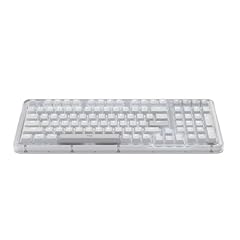
Logitech Alto Keys K98M Wireless Mechanical Gasket Keyboard
- Size
- 96% to 98%
- Connection
- Wireless
- Switches
- Mechanical
$99.99 (as of 10/26/2026 16:10 PDT - Details)
The Alto Keys K98M is the only pick with a gasket structure in the name and wireless support, giving it a distinct place beside the EPOMAKER F75. It comes from a maker with a full keyboard catalogue, and the listing calls it wireless and mechanical.
Pros
- Wireless mechanical with gasket structure named
- Logitech product line known from maker catalogue
- Different option from the more gaming-focused RGB boards here
Cons
- Layout is not stated by the seller
- Hot-swap support is not stated
- Switch model is not stated
Good fit if
- Typists who want a wireless mechanical without gaming styling
- Buyers who prefer a major peripheral maker
Skip if
- You need a compact or tenkeyless layout confirmed before ordering
- You want to swap switches
Verdict: A wireless gasket-mounted board for buyers who put typing structure ahead of gaming extras.
4 Best full-size wired
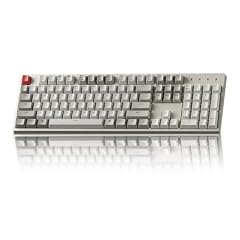
Keychron C2 Full Size Wired Mechanical Keyboard
- Size
- Full size
- Connection
- Wired
- Switches
- Mechanical
$56.99 (as of 10/26/2026 16:06 PDT - Details)
A full-size wired layout with a named Brown switch, this Keychron stands out because few picks keep the number pad. It gives you the number pad that 60% and 75% boards omit.
Pros
- Full-size layout with number pad
- Wired connection
- Brown switch named in the listing
- Retro look from the listing
Cons
- No hot-swap support stated
- No backlight or RGB mentioned in the title
Good fit if
- Office and data-entry users who need a number pad
- Buyers who want a wired board with a tactile switch named
Skip if
- You want a compact board
- You want to swap switches later
Verdict: A straightforward full-size wired board for number-pad users.
5 Best TKL macro keyboard

HyperX Alloy Origins Core
- Size
- TKL (80%)
- Switches
- Mechanical
$79.99 (as of 10/26/2026 15:10 PDT - Details)
The Alloy Origins Core is the clearest TKL option with software-controlled macro customization named in the listing. It gives you a smaller footprint than full-size boards while keeping the main typing area intact.
Pros
- TKL layout is stated
- Software-controlled light and macro customization named
- Mechanical keyswitches are stated
Cons
- Connection type is not stated by the seller
- Hot-swap support is not stated
- Specific switch model is not stated
Good fit if
- Gamers who want macro keys in a smaller layout
- Users with limited desk space who still want function keys
Skip if
- You need a number pad
- You want wireless or hot-swap support confirmed
Verdict: A TKL pick with macro customization for gamers who want the extras without a full-size frame.
6 Best RGB pick with named Cherry switches
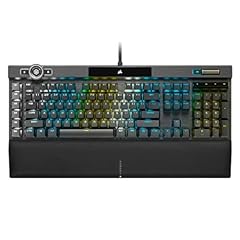
Corsair K100 RGB Mechanical Gaming Keyboard
- Switches
- Mechanical
$391.95 (as of 10/26/2026 23:30 PDT - Details)
The K100 listing names Cherry MX Speed RGB Silver keyswitches and PBT double-shot keycaps, which is more switch detail than most picks in this guide. RGB lighting is explicit in the title, making it a clear option for lighting-focused buyers.
Pros
- Cherry MX Speed RGB Silver keyswitches named
- PBT double-shot keycaps named
- RGB lighting named in the title
Cons
- Layout is not stated by the seller
- Connection type is not stated
- No hot-swap support mentioned
Good fit if
- Buyers who want a named Cherry switch
- Users who want PBT keycaps and RGB lighting
Skip if
- You need the layout confirmed before buying
- You want a compact or wireless board
Verdict: A heavily specified RGB keyboard if you want the keycap and switch details spelled out.
7 Best 60% for QMK/VIA

Womier 60% Keyboard QMK/VIA
- Size
- 60%
- Connection
- Wired
- Switches
- Mechanical
- Hot-swappable
- Yes
$37.69 (as of 10/26/2026 20:10 PDT - Details)
The Womier 60% is one of two picks in this guide with QMK/VIA in the listing, and the only one at the 60% size. That makes it a strong candidate for buyers who plan to remap layers and keys with open-source firmware.
Pros
- 60% layout stated
- QMK/VIA support named
- Pink color option from the listing
Cons
- Connection type is not stated by the seller
- Hot-swap support is not stated
- Switch model is not stated
Good fit if
- Keyboard enthusiasts who want programmable layers
- Buyers who want a small board with firmware customization
Skip if
- You need wireless or a number pad
- You don't want to configure firmware
Verdict: A compact programmable board for users who want QMK/VIA at 60%.
8 Best 96% wireless for VIA

KiiBoom Phantom98 Lite 96% Wireless Mechanical Gaming Keyboard
- Size
- 96% to 98%
- Connection
- Wireless
- Switches
- Mechanical
- Hot-swappable
- Yes
$98.99 (as of 10/26/2026 16:06 PDT - Details) Typical price: $109.99, 10% off
This board pairs a 96% to 98% layout with wireless connection and VIA customization, a combination none of the other picks matches. It keeps the number pad while adding wireless and programmable firmware.
Pros
- 96% to 98% layout retains number pad
- Wireless connection stated
- VIA custom support named
Cons
- Hot-swap support is not stated
- Switch model is not stated
Good fit if
- Users who need a number pad but want wireless
- Enthusiasts who want VIA on a larger layout
Skip if
- You want a small board
- You want hot-swap sockets confirmed
Verdict: A large wireless board with VIA for number-pad users who also want firmware control.
9 Best 60% with split spacebar

KINESIS Gaming TKO Mechanical Keyboard
- Size
- 60%
- Switches
- Mechanical
- Hot-swappable
- Yes
$65.00 (as of 10/26/2026 16:06 PDT - Details)
The TKO lists a 60% layout, clicky white switches, a split spacebar, hot-swap sockets, and PBT keycaps. The split spacebar is unique in this guide and gives the board a distinct option for gamers who remap thumb keys.
Pros
- 60% layout stated
- Hot-swap support stated
- Split spacebar named
- PBT keycaps named
Cons
- Connection type is not stated by the seller
- No RGB or backlight named in the listing
Good fit if
- Gamers who want to program thumb keys
- Buyers who want hot-swap in a 60% board
Skip if
- You need a number pad
- You want a quiet or linear switch named
Verdict: A 60% hot-swap board with a split spacebar for customizable thumb key use.
10 Best wired hot-swap with anti-ghosting

Redragon Mechanical Gaming Keyboard Wired
- Connection
- Wired
- Switches
- Mechanical
- Hot-swappable
- Yes
$29.99 (as of 10/26/2026 19:05 PDT - Details)
The Redragon listing covers the essentials for a wired gaming board: hot-swap red switches, anti-ghosting, and programmable backlit modes. It is a more direct wired alternative to the wireless picks in this guide.
Pros
- Wired connection stated
- Hot-swap switches stated
- Anti-ghosting named
- Programmable backlit modes named
Cons
- Layout is not stated by the seller
- Switch model beyond red type is not stated
Good fit if
- Gamers who prefer a wired connection
- Buyers who want hot-swap without wireless complexity
Skip if
- You need a compact or full-size layout confirmed
- You want wireless freedom
Verdict: A wired hot-swap gaming board with anti-ghosting for direct wired setups.
11 Best wireless with smart display

RK ROYAL KLUDGE S98 Wireless Mechanical Keyboard w/Smart Display & Knob
- Size
- 96% to 98%
- Connection
- Wireless
- Switches
- Mechanical
- Hot-swappable
- Yes
$74.99 (as of 10/26/2026 19:05 PDT - Details)
The Royal Kludge S98 names a smart display and knob alongside wireless support. It is one of the few picks in this guide with both a display and a rotary knob.
Pros
- Wireless connection stated
- Smart display named
- Rotary knob named
Cons
- Layout is not stated by the seller
- Hot-swap support is not stated
- Switch model is not stated
Good fit if
- Users who want status or media controls on the keyboard
- Buyers who want wireless without giving up a knob
Skip if
- You need the layout confirmed
- You want hot-swap
Verdict: A wireless keyboard with display and knob for control-focused buyers.
12 Best wireless with multifunction knob

nuphy Air100 V3 Wireless Mechanical Keyboard
- Size
- 96% to 98%
- Connection
- Wireless
- Switches
- Mechanical
$149.95 (as of 10/26/2026 18:05 PDT - Details)
The NuPhy Air100 V3 is a wireless mechanical with a multifunction knob named in the listing. It is distinct from the RK S98 because the knob is the main control and layout details are left to the buyer to confirm.
Pros
- Wireless connection stated
- Multifunction knob named
- Mechanical switch type stated
Cons
- Layout is not stated by the seller
- Hot-swap support is not stated
- Switch model is not stated
Good fit if
- Buyers who want a knob for volume or scrolling
- Users who want wireless without needing a display
Skip if
- You need a confirmed layout
- You want to swap switches
Verdict: A wireless mechanical with a multifunction knob for users who prefer knob control.
13 Best with yellow switches

Razer BlackWidow V4 X Mechanical Gaming Keyboard
- Switches
- Mechanical
$99.99 (as of 10/26/2026 18:10 PDT - Details)
The BlackWidow V4 X is the only pick in this guide with yellow switches named in the title. That gives buyers a specific switch direction without needing to open the board.
Pros
- Yellow switches named in the listing
- Mechanical switch type stated
- Gaming keyboard orientation stated
Cons
- Layout is not stated by the seller
- Connection type is not stated
- Hot-swap support is not stated
Good fit if
- Buyers who want a specific Razer switch type
- Gamers who want a mechanical board from a gaming-focused brand
Skip if
- You need the layout or connection confirmed
- You want a hot-swap board
Verdict: A mechanical gaming keyboard with a named switch option for buyers who care about switch choice.
14 Best barebone 60% kit

GLORIOUS Custom Gaming Keyboard
- Size
- 60%
- Connection
- Wired
- Switches
- Mechanical
- Hot-swappable
- Yes
$19.99 (as of 10/26/2026 14:10 PDT - Details)
The GMMK is listed as a barebone kit, meaning the board and hot-swap sockets come without keycaps or switches. It is the clearest build-it-yourself option in this guide, sitting apart from prebuilt boards like the EPOMAKER F75.
Pros
- 60% layout stated
- Wired connection stated
- Hot-swap sockets stated
- Barebone kit orientation is clear from the listing
Cons
- No switches or keycaps included according to the listing
- No firmware customization named
Good fit if
- Builders who already have switches and keycaps
- Buyers who want a bare hot-swap board to customize
Skip if
- You want a ready-to-type keyboard
- You need wireless support
Verdict: A barebone 60% hot-swap board for buyers who want to supply their own switches and keycaps.
Comparison table
| # | Keyboard | Size | Connection | Switches | Mouse included | Hot-swappable |
|---|---|---|---|---|---|---|
| 1 | EPOMAKER x Aula F75 Gasket Mechanical Keyboard | 75% | Wireless | Mechanical | not stated | Yes |
| 2 | ASUS ROG Azoth Extreme Wireless Mechanical Gaming Keyboard | 75% | Wireless | Mechanical | not stated | not stated |
| 3 | Logitech Alto Keys K98M Wireless Mechanical Gasket Keyboard | 96% to 98% | Wireless | Mechanical | not stated | not stated |
| 4 | Keychron C2 Full Size Wired Mechanical Keyboard | Full size | Wired | Mechanical | not stated | not stated |
| 5 | HyperX Alloy Origins Core | TKL (80%) | not stated | Mechanical | not stated | not stated |
| 6 | Corsair K100 RGB Mechanical Gaming Keyboard | not stated | not stated | Mechanical | not stated | not stated |
| 7 | Womier 60% Keyboard QMK/VIA | 60% | Wired | Mechanical | not stated | Yes |
| 8 | KiiBoom Phantom98 Lite 96% Wireless Mechanical Gaming Keyboard | 96% to 98% | Wireless | Mechanical | not stated | Yes |
| 9 | KINESIS Gaming TKO Mechanical Keyboard | 60% | not stated | Mechanical | not stated | Yes |
| 10 | Redragon Mechanical Gaming Keyboard Wired | not stated | Wired | Mechanical | not stated | Yes |
| 11 | RK ROYAL KLUDGE S98 Wireless Mechanical Keyboard w/Smart Display & Knob | 96% to 98% | Wireless | Mechanical | not stated | Yes |
| 12 | nuphy Air100 V3 Wireless Mechanical Keyboard | 96% to 98% | Wireless | Mechanical | not stated | not stated |
| 13 | Razer BlackWidow V4 X Mechanical Gaming Keyboard | not stated | not stated | Mechanical | not stated | not stated |
| 14 | GLORIOUS Custom Gaming Keyboard | 60% | Wired | Mechanical | not stated | Yes |
How this list was made
The catalog returned 60 mechanical keyboards that matched the Mechanical switch type filter. We kept the shortlist to 15 by favoring boards with stated layouts, at least one wireless or wired connection, and clear switch naming, then checked that each pick offered something distinct: a particular form factor, hot-swap socket, display or knob, or programmable firmware. We did not include more than one listing for the same model and we chose only new listings from these seller pages. Prices shown on this page are read from the current listing and can change; the text avoids price comparisons for that reason. No keyboard in this guide has been tested by this site. Pros, cons and verdicts are based on the specifications in the listing and, where useful, publicly documented standards such as USB HID and Bluetooth.
Choosing the right one
Layouts: 60%, TKL, 75%, 96% and full size
The first question is what you give up. 60% boards such as the Womier and Kinesis omit the function row, arrows, and number pad. TKL, or tenkeyless, keeps the main block and function row but drops the number pad. 75% layouts restore the function row and arrows in a smaller footprint. Full-size and 96% to 98% boards keep the number pad, which matters for data entry. If a listing does not state a layout, treat that as a missing detail and confirm it before buying.
Switches: what the listing tells you
Mechanical keyboards are defined by the switch under each key. Listings may name a color or a family: red, blue, brown, yellow, Cherry MX Speed RGB Silver, Gateron G, or ROG NX Snow. Color names usually hint at feel, but the hint is not a guarantee unless the maker publishes a switch specification. When a listing only says mechanical or red switch, you know the switch type and little else; when it names the family and model, you can look up the maker's official spec. Hot-swap support, if stated, means you can replace switches without soldering.
Wired vs wireless
Wired boards need a cable but avoid battery and pairing questions. Wireless boards in this list use the 2.4GHz, Bluetooth, or USB-C modes named in their listings. Bluetooth is a point-to-point radio standard; a keyboard that connects over Bluetooth still behaves as an HID device under the USB HID class definition when wired. The practical difference is battery life and latency, which are not stated for every pick here.
Hot-swap and customization
Hot-swap sockets let you change switches without soldering, which matters if you want to tune the feel later. QMK/VIA and similar firmware support lets you remap keys, layers, and macros. Not every board with a knob or display offers firmware control, so look for those terms in the listing. A barebone kit, like the GMMK 60, expects you to bring keycaps and switches.
Extra controls: knobs, displays and RGB
Some boards add a rotary knob, a small screen, or both. A knob is convenient for volume or scrolling; a smart display can show status or media information, but the exact functions are set by the maker's software. RGB backlighting is common, but not all listings state whether it is per-key or zone-based. If those details matter, check the listing before choosing.
What a listing may not tell you
Many listings in this catalog omit layout, connection type, hot-swap support, battery capacity, or the exact switch model. That is not a fault of the product, but it means you should confirm those details with the maker's spec page before you buy if they are important. This guide does not test the keyboards and does not fill missing specifications with guesses.
Questions
What does hot-swappable mean on a mechanical keyboard?
A hot-swappable keyboard uses switch sockets that let you pull out the switches and replace them without soldering. That is useful if you want to change from a clicky to a linear switch, or replace a broken switch. Several picks in this guide state hot-swap support. If a listing does not say hot-swappable, assume the switches are soldered and not user-replaceable.
What is the difference between 60%, 75%, TKL, and full-size layouts?
60% boards drop the function row, arrow keys, and number pad. TKL keeps the main typing area and function row but drops the number pad. 75% adds arrows and function keys in a compact footprint. Full-size and 96% to 98% boards keep the number pad. Choose by whether you need arrow keys, function keys, or a number pad for your daily work.
Are wireless mechanical keyboards reliable for gaming?
The listings in this guide include wireless boards using Bluetooth, 2.4GHz, or USB-C modes. 2.4GHz and wired USB connections are common choices for gaming; Bluetooth is a point-to-point link. Whether a particular board is reliable for your setup depends on the maker's implementation, which this guide does not test. If low latency matters, prefer wired or a dedicated 2.4GHz mode.
What is QMK/VIA support?
QMK is open-source firmware that runs on many keyboards, and VIA is a graphical tool for remapping keys, layers, and macros without flashing firmware. Boards that list QMK/VIA, like the Womier 60% and KiiBoom Phantom98 Lite in this guide, are intended for users who want deep programmability. If the listing does not mention QMK/VIA, the maker's own software, if any, controls remapping.
Do mechanical keyboards work with Windows shortcuts?
Yes. A keyboard that follows the USB HID class sends standard key reports, so Windows recognizes normal key codes. The system shortcuts listed by Microsoft, such as Ctrl+C, Ctrl+V, and Windows key combinations, work on any standard keyboard. Extra functions like macro keys or a Copilot key depend on the keyboard maker's software and the Windows version.
Should I choose red, blue, brown, or yellow switches?
Listings use color names for switches, and the same color does not guarantee the same feel across makers. The pool data does not include force curves or sound measurements for these boards, and this site has not tested them. If switch feel is important, check the maker's official switch specification or choose a board with a named switch family and hot-swap sockets so you can change it later.
What changed
- : First published.